


Looking for an honest ManyChat review to decide if it’s the right chat marketing tool for your business? You’re not alone. With over 1 million businesses using ManyChat to automate customer conversations, this platform has become a go-to solution for marketers worldwide. In this comprehensive ManyChat review, we’ll explore everything from features and pricing to real user experiences, helping you determine whether this chatbot builder deserves a spot in your marketing stack.
Our Verdict
ManyChat is one of the best chat automation platforms for creating chatbots on Facebook, Instagram, WhatsApp, and SMS. It features a super user-friendly interface and visual flow builder, making it easy for anyone to create powerful chatbots without writing a single line of code.
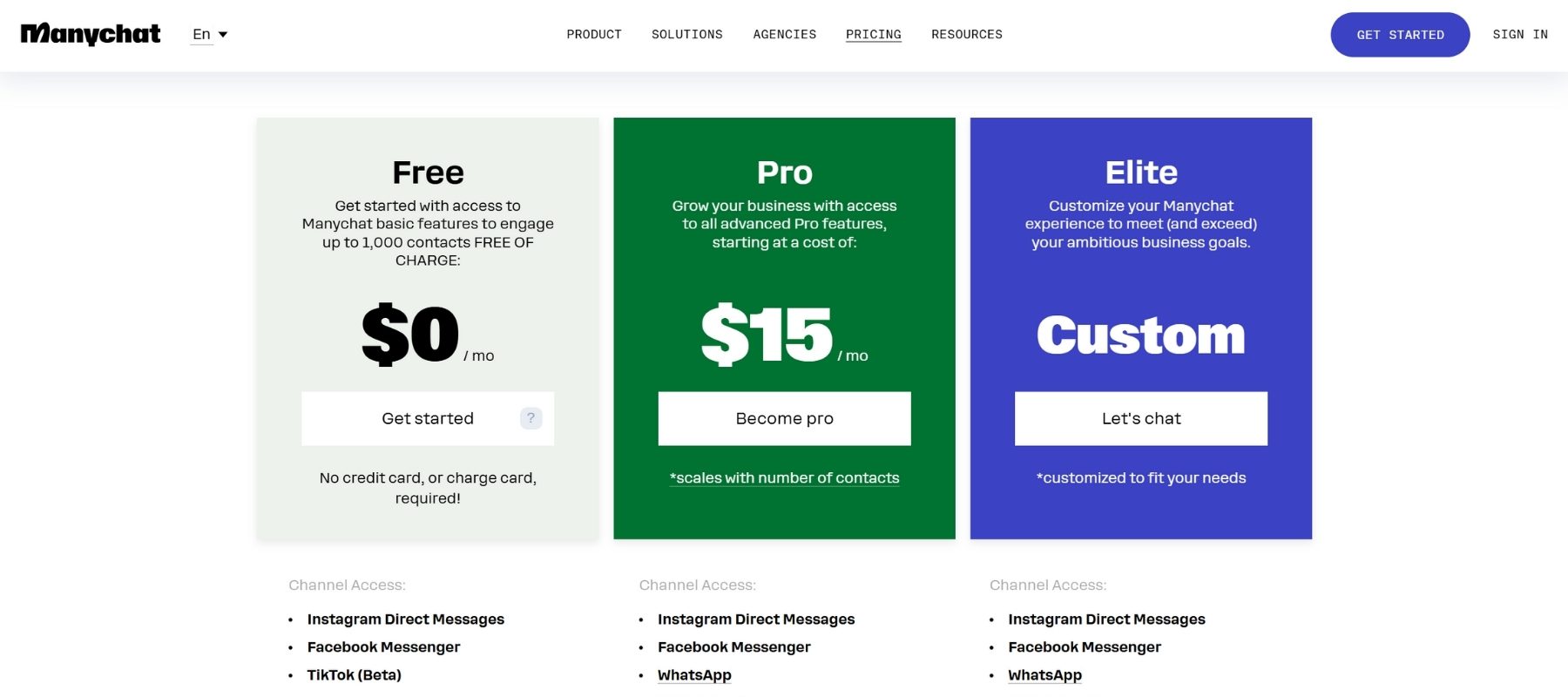
ManyChat offers both free and paid plans, with Pro starting at just $15/month. This makes it a popular choice for beginners and businesses working with tight budgets who still want professional-grade automation.
Pros
✅Easy-to-use Visual Flow Builder
✅ Unlimited Custom Fields & Tags
✅ Integrates with Facebook, Instagram, WhatsApp, SMS & Telegram
✅ Drive Users to Funnels with Growth Tools
✅ Send Broadcasts, Sequences and Rules
✅ Built-in Live Chat + Integrations with Zapier and Make
✅ Built-in AI: Knowledge Base, AI Step, Intents & AI Flow Builder Assistant
Cons
❌ Need to create separate messages per channel
❌ Difficult to translate chatbots to multiple languages
❌ AI features can be inconsistent at times
What Is ManyChat? A Complete Overview

Understanding ManyChat’s Core Purpose
ManyChat is a powerful chat marketing platform designed to help businesses automate conversations across multiple messaging channels. Founded in 2015, the platform has grown from a simple Facebook Messenger bot builder into a comprehensive automation tool that serves businesses of all sizes. At its heart, ManyChat allows you to create chatbots without writing a single line of code, making conversation automation accessible to everyone from solopreneurs to enterprise marketing teams.
The platform’s primary mission is straightforward: help businesses engage with customers where they already spend their time. Whether that’s scrolling through Instagram, messaging on Facebook, or texting on their phones, ManyChat creates seamless automated experiences that feel personal and responsive. This approach to marketing has proven incredibly effective, with businesses reporting significant increases in engagement rates and conversions after implementing ManyChat automation.
Platforms ManyChat Supports
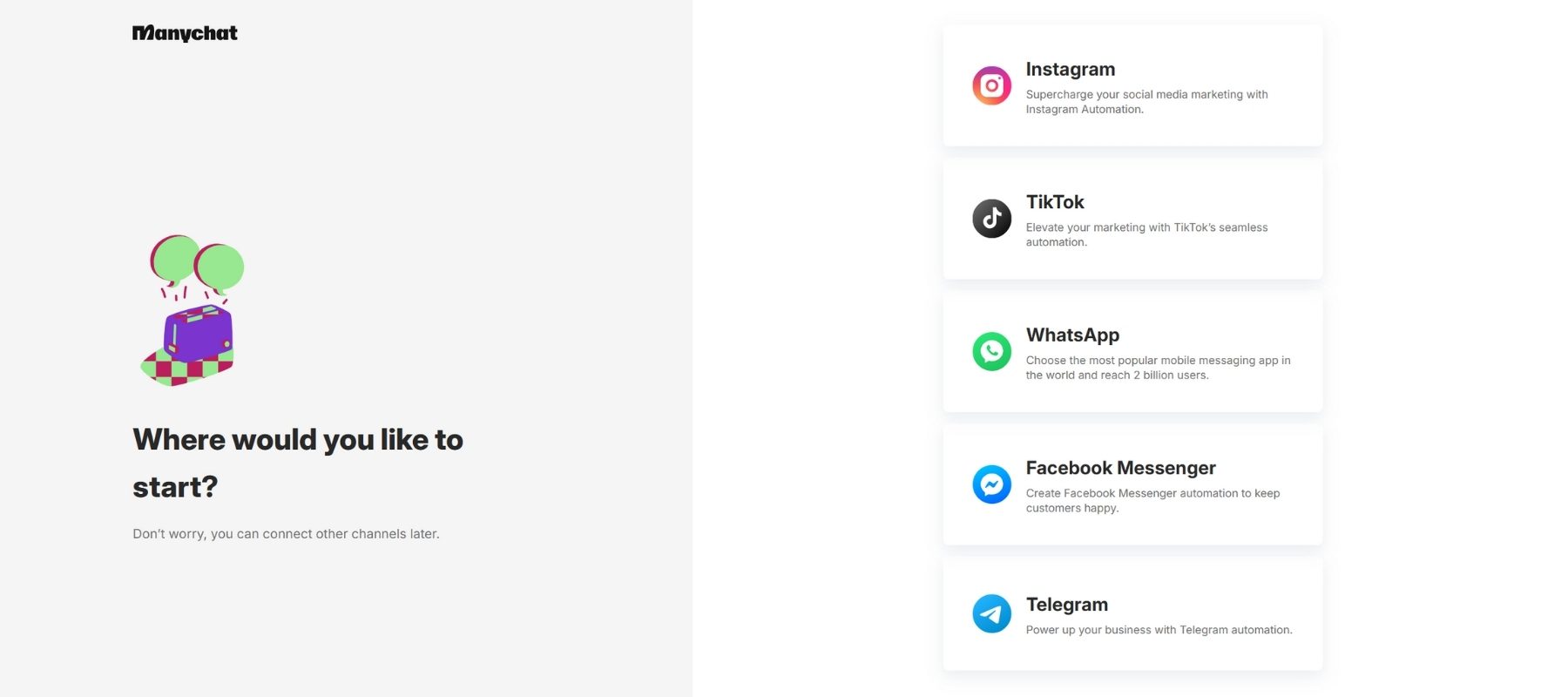
One of ManyChat’s greatest strengths is its multi-channel support. Here’s where you can deploy your ManyChat automations:
- Facebook Messenger: Customer service, lead generation, sales
- Instagram DM: Comment automation, story replies, engagement
- WhatsApp Business: Transactional messages, support
- SMS: Promotions, reminders, notifications
- Email: Nurture sequences, broadcasts
- Telegram: Community engagement
Who Should Consider Using ManyChat?
ManyChat isn’t a one-size-fits-all solution, but it serves a remarkably diverse audience. E-commerce businesses benefit enormously from abandoned cart recovery and product recommendation features. Digital marketers and agencies love the ability to scale personalized conversations for multiple clients. Content creators and influencers use ManyChat to deliver lead magnets and engage with their Instagram followers automatically.
Small to medium-sized businesses find particular value in ManyChat’s ability to handle customer inquiries around the clock without hiring additional staff. If you’ve ever wished you could clone yourself to answer the same questions repeatedly, ManyChat might just be your answer.
How does Manychat work?
In Manychat, you have several tabs where you can manage your chat automations from:
- Home – General overview of your chatbot and tips on how to get started
- Contacts – Overview of everyone who talked to your chatbot
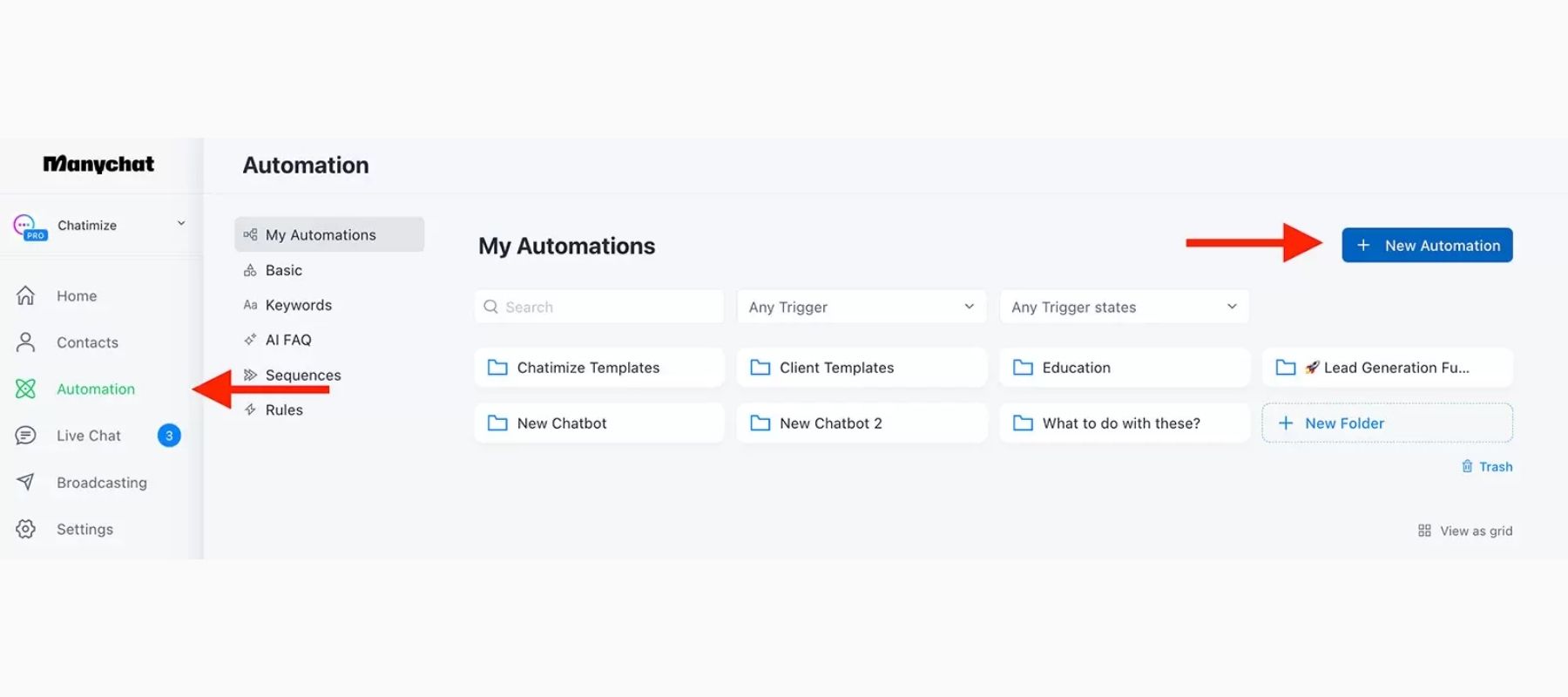
- Automation – This is where your chat flows and chat automation live
- Live chat – when you hand over a chat from the bot to an agent, here is where you can chat with contacts
- Broadcasting – if you want to send mass messages to your contacts
- Settings – here you control the settings of your chatbot and Manychat account
ManyChat Features Breakdown – What Can You Actually Do?
Visual Flow Builder
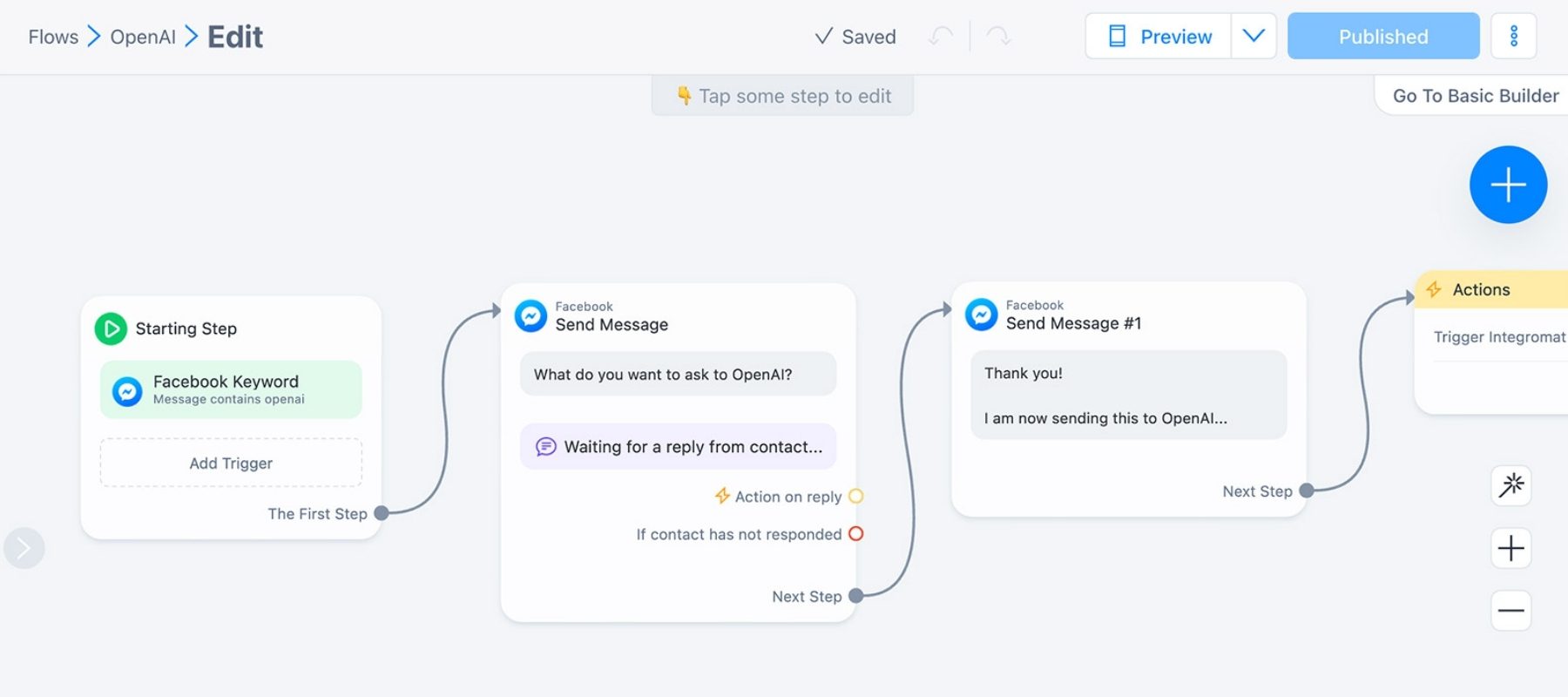
The visual flow builder is ManyChat’s crown jewel, and it’s where the magic happens. This drag-and-drop interface allows you to create complex conversation sequences by simply connecting different message blocks together. You can add conditional logic, meaning your chatbot responds differently based on user choices, and set up branching paths that create truly personalized experiences.
What makes this feature exceptional is its accessibility. You don’t need to be a developer or have any technical background to create sophisticated automations. ManyChat provides dozens of templates for common use cases like welcome sequences, quiz funnels, and appointment booking, so you can get started in minutes rather than hours.
Automation
ManyChat helps you to automate interaction with customers across your social media platforms. You can set specific keywords or triggers to automate replies. This proactive approach makes it effective in nurturing leads. Moreover, it provides an omnichannel chatbot experience, as a single chatbot can handle customers’ interactions across platforms.
Growth Tools
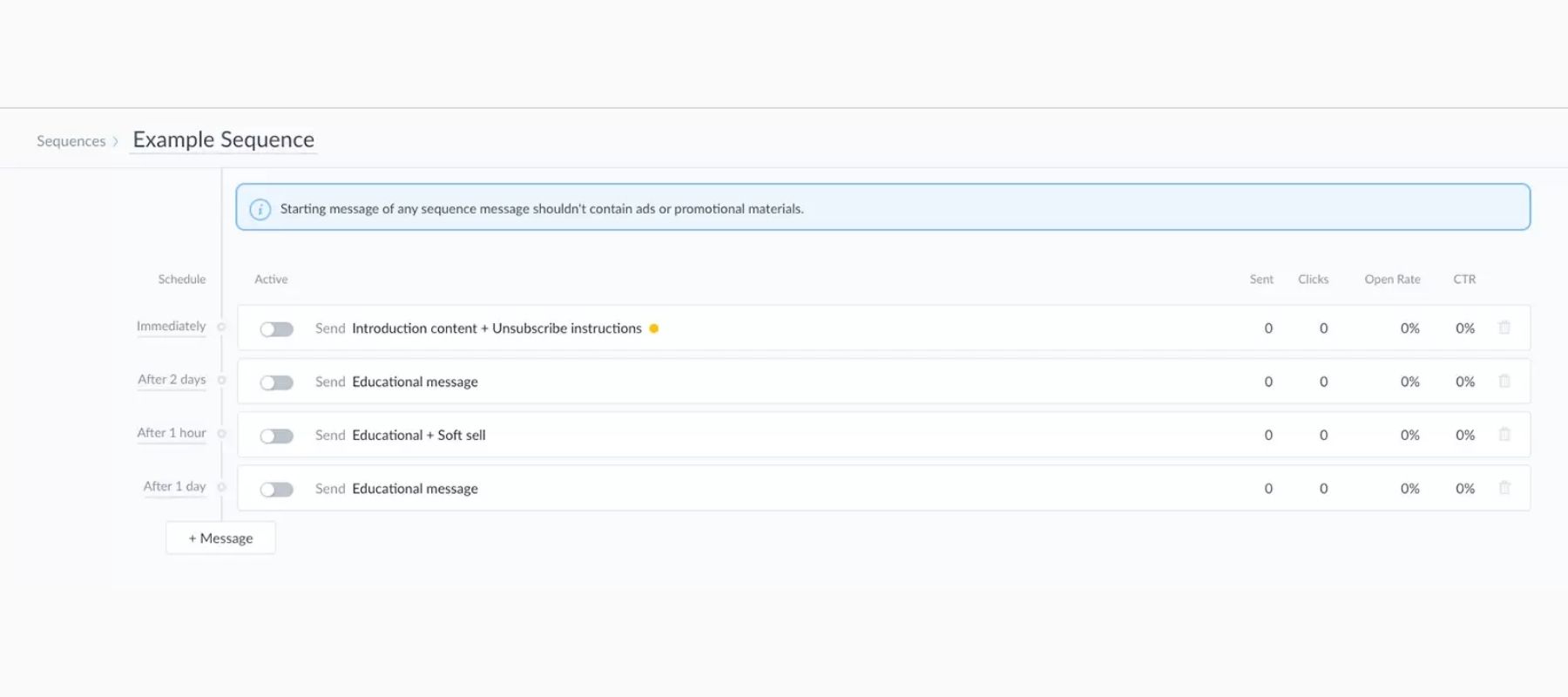
If you have to list one standout feature of ManyChat, it would be its “Growth Tools”. They help drive users from social media platforms to your chatbot. For example, if a customer comments on your Facebook post, the chatbot will send him a message on Messenger.
Similarly, when a specific event happens, you can broadcast (send mass messages), send sequential messages, or send rules-based messages. Simply put, Many Chat growth tools are meant to increase leads and drive sales by triggering customer engagement.
Live Chat – Chatbot to Human Handoff
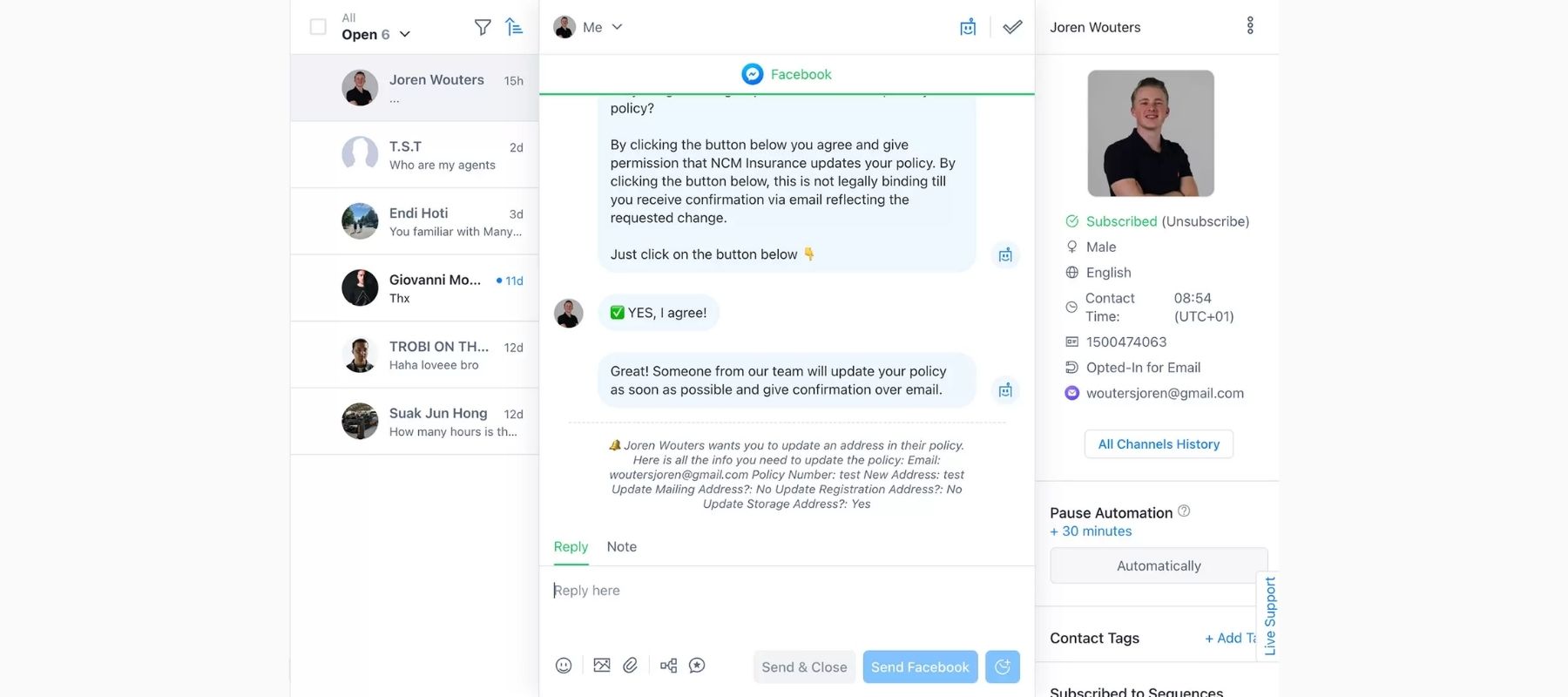
ManyChat offers a smooth chatbot-to-human handoff. If the query is complex, a bot can automatically ask the human agent to take over the chat. Alternatively, it can hand the chat to the human agent at the customer’s request.
Chatbot Elements

ManyChat supports different chatbot elements, like buttons, images, videos, etc. These elements make conversations more interactive. For example, you can add a button that prompts users to take specific actions, such as visiting a website or making a purchase.
Contact List
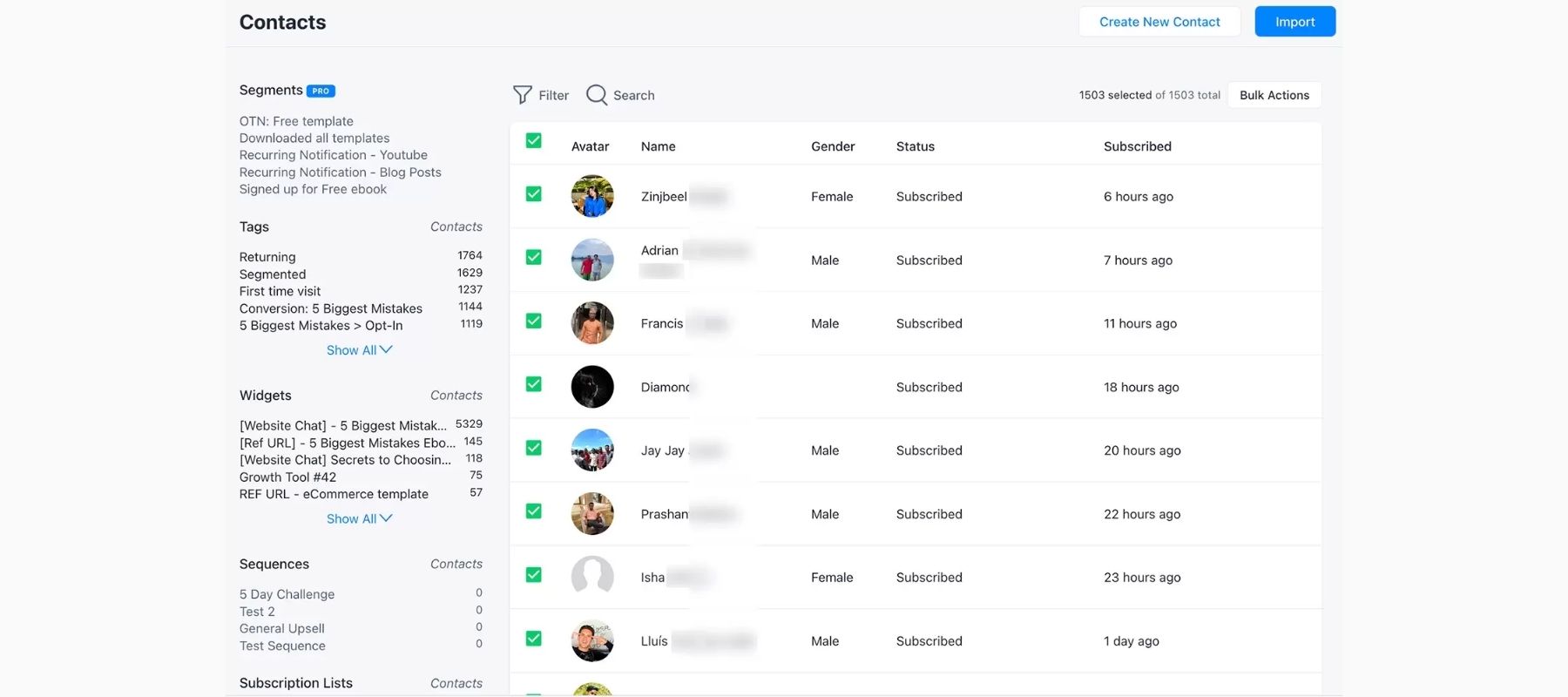
ManyChat maintains the complete contact list. You can view all the contacts that interacted with the chatbot in one click. If you select a contact, you can further get details about their custom fields/tags and past conversations.
Analytics and Reporting
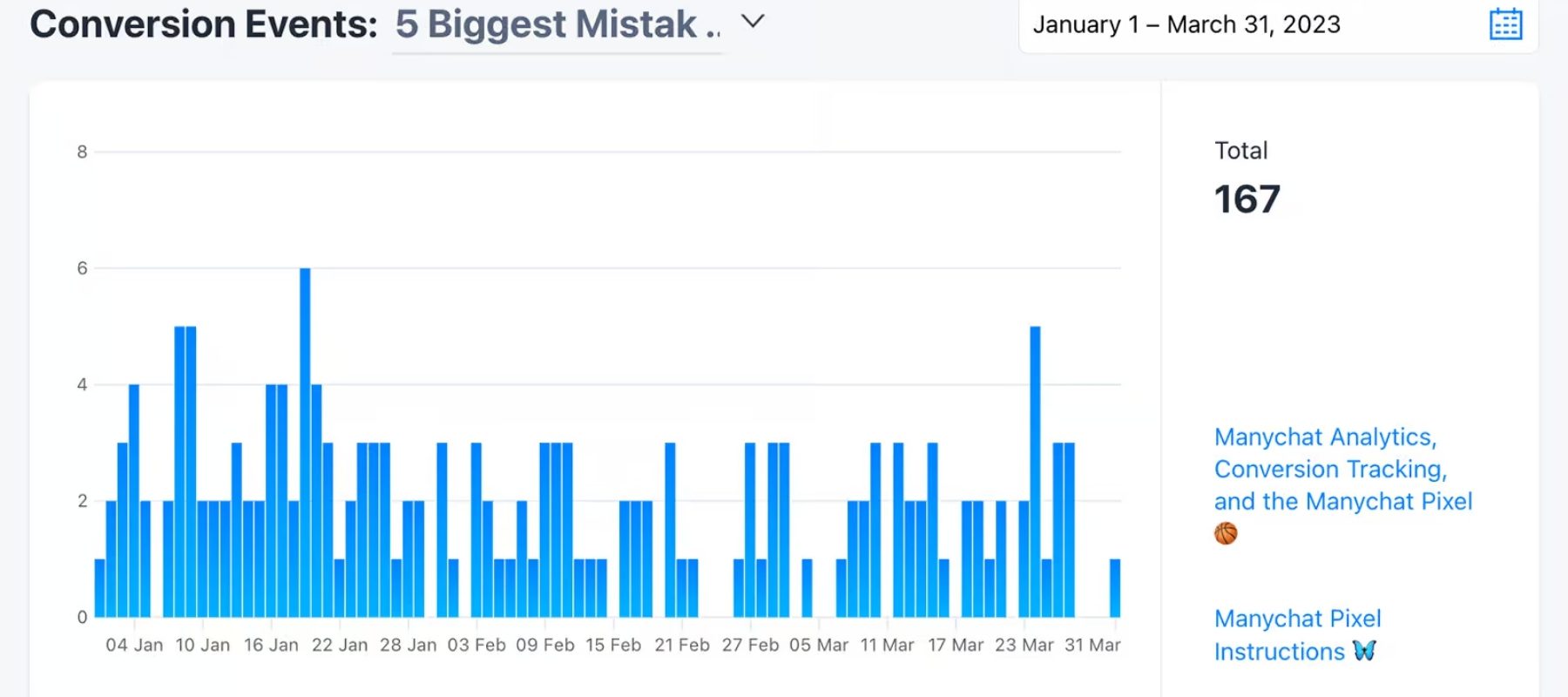
You can’t improve what you don’t measure, and ManyChat understands this well. The analytics dashboard provides insights into conversation flows, subscriber growth, and conversion rates. You can see exactly where users drop off in your sequences and run A/B tests to optimize performance.
Integrations
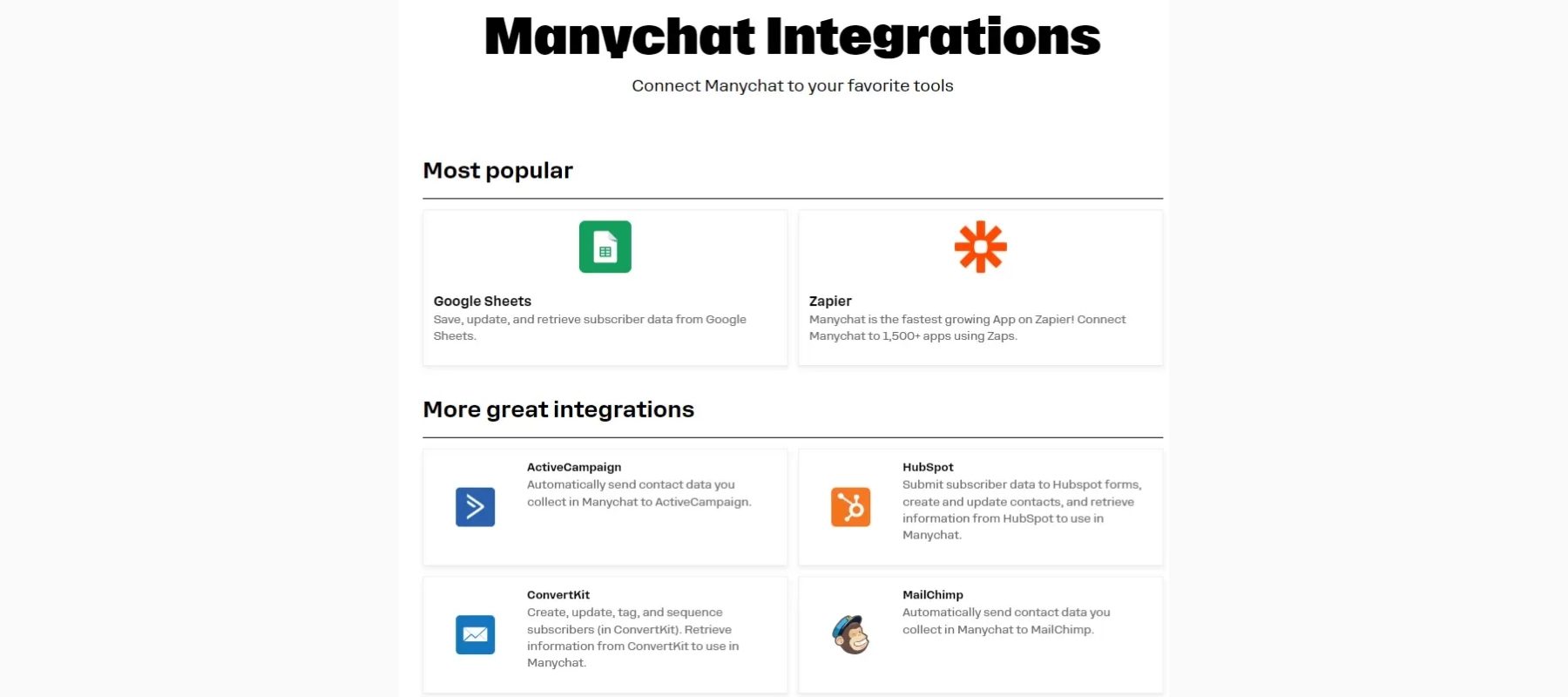
ManyChat supports integration with different third-party platforms, like Google Sheets, Zapier, MailChimp, ConvertKit, HubSpot, etc. These integrations make your chatbot more functional.
How to Use ManyChat?
ManyChat offers an intuitive way of creating a fully functional chatbot. The steps to create a chatbot with ManyChat are as follows:
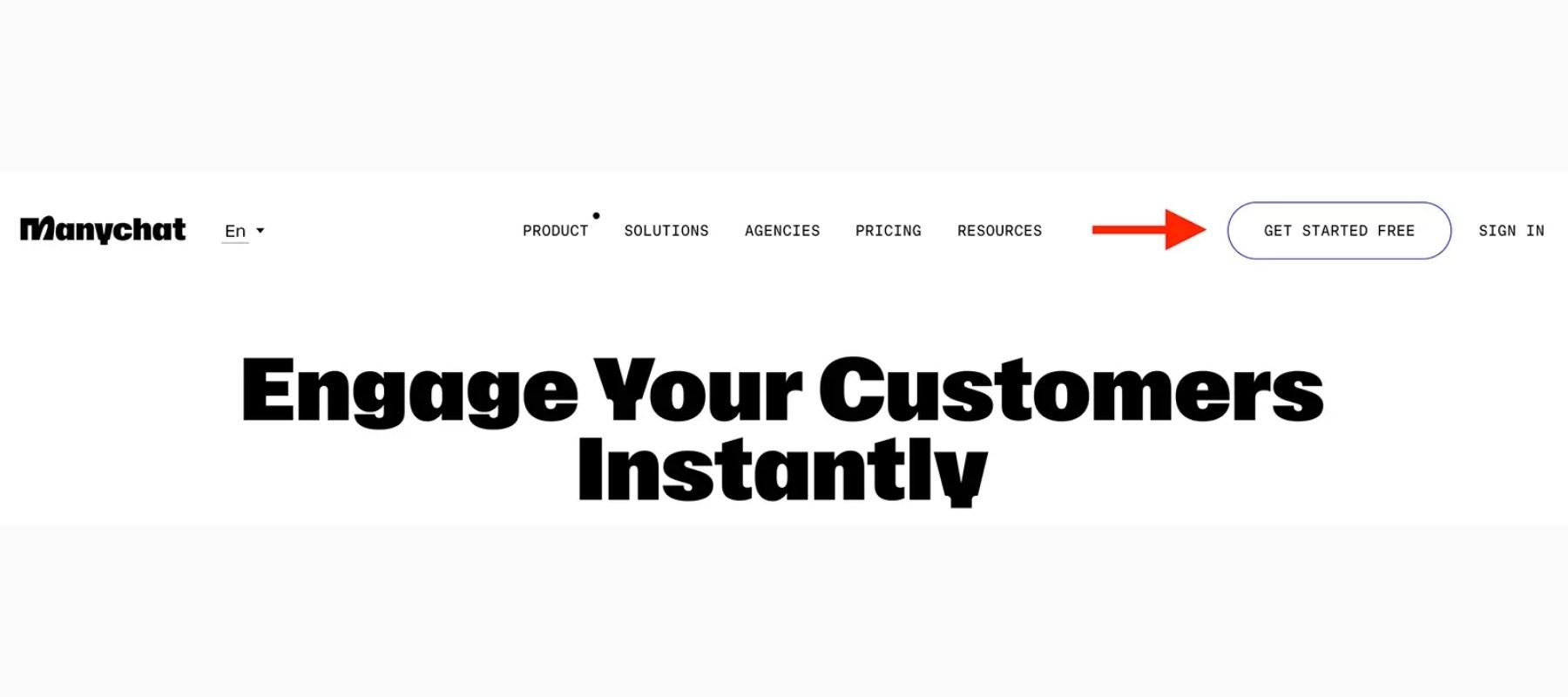
Step 1. Go to the ManyChat website and sign up.
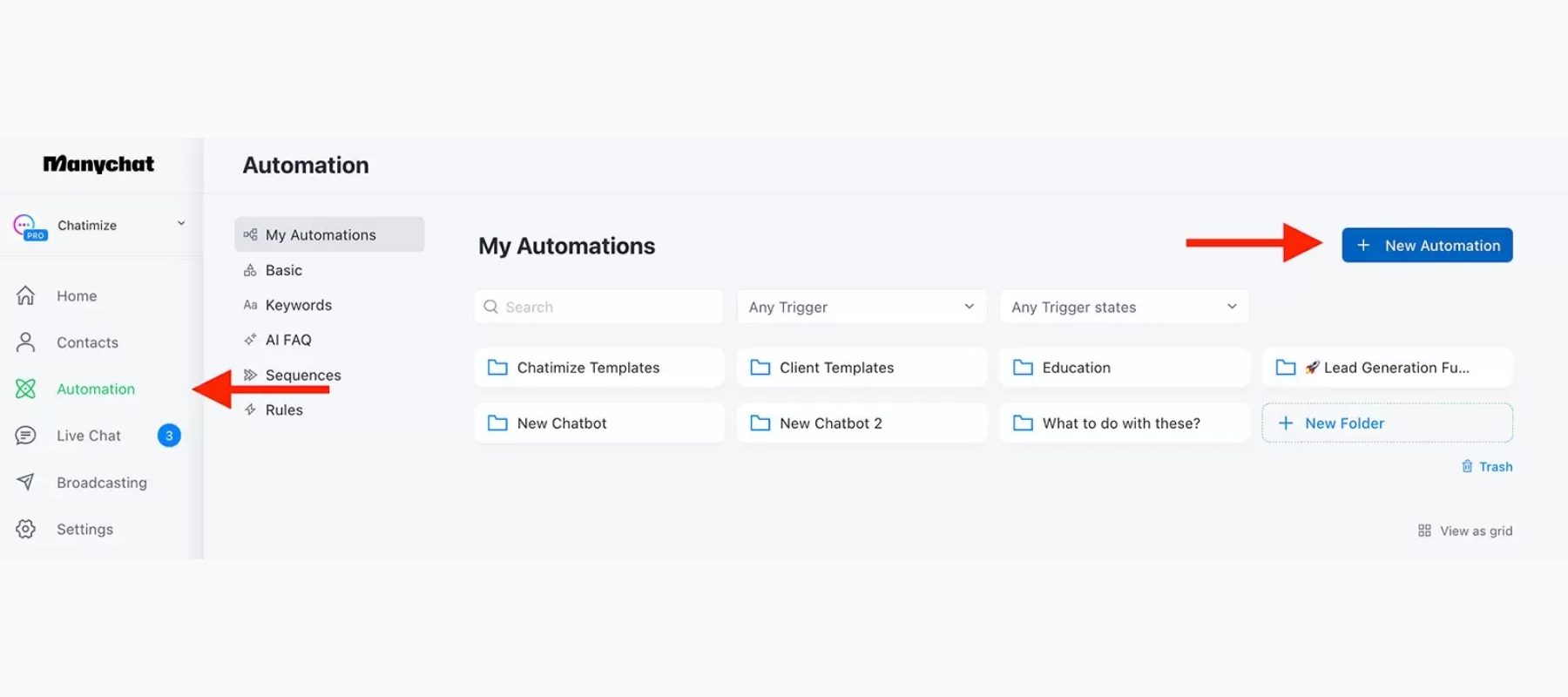
Step 2. From the main dashboard, click Automation > New Automation. You can choose a pre-designed template or start from scratch.
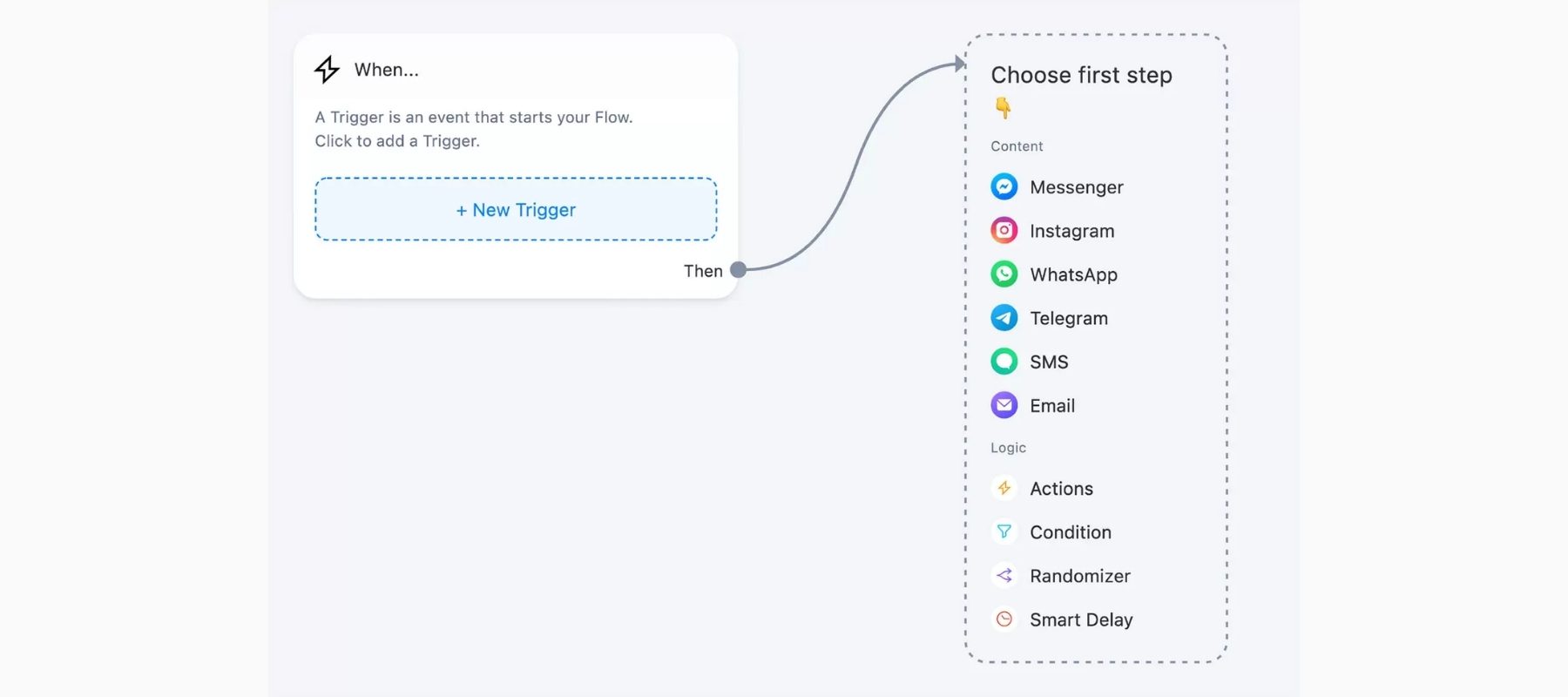
Step 3. From the visual flow builder, click “New Trigger” and select Instagram or any other channel.
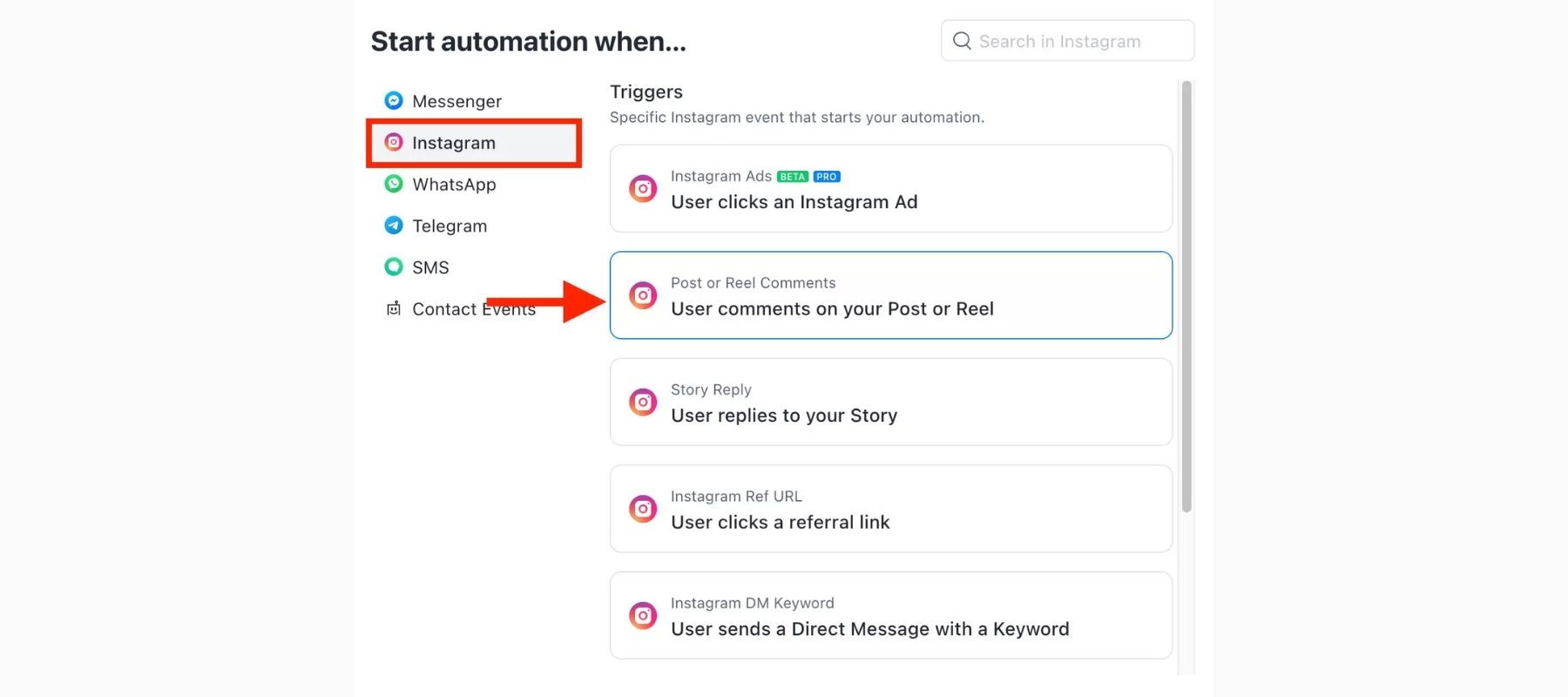
Step 4. Select what type of trigger you want to consider to drive automated response.
Step 5. Customize the trigger response and click “Save”.
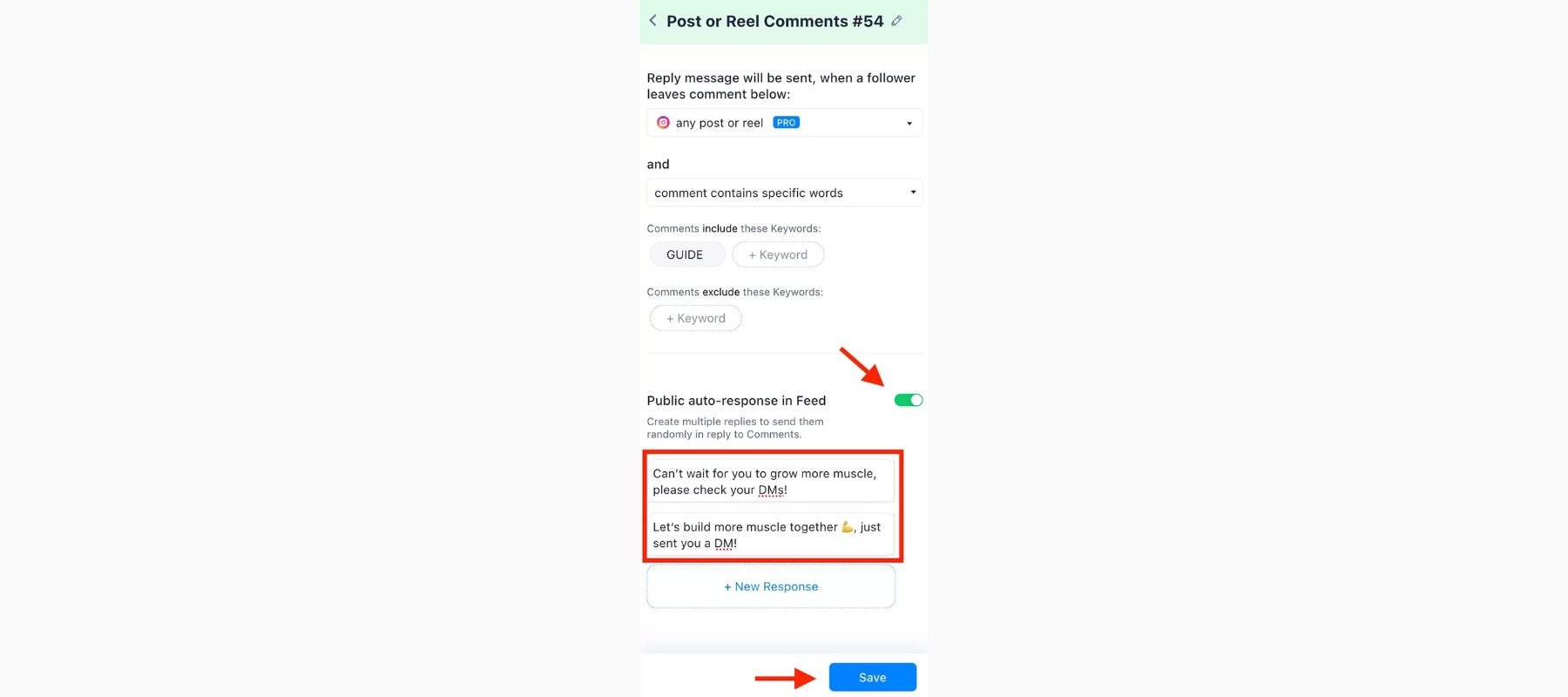
Step 6. Similarly, you can add more triggers and create a full-fledged automated chatbot. Once done, you can click the “Preview” or “Set Live” button to begin using the chatbot.
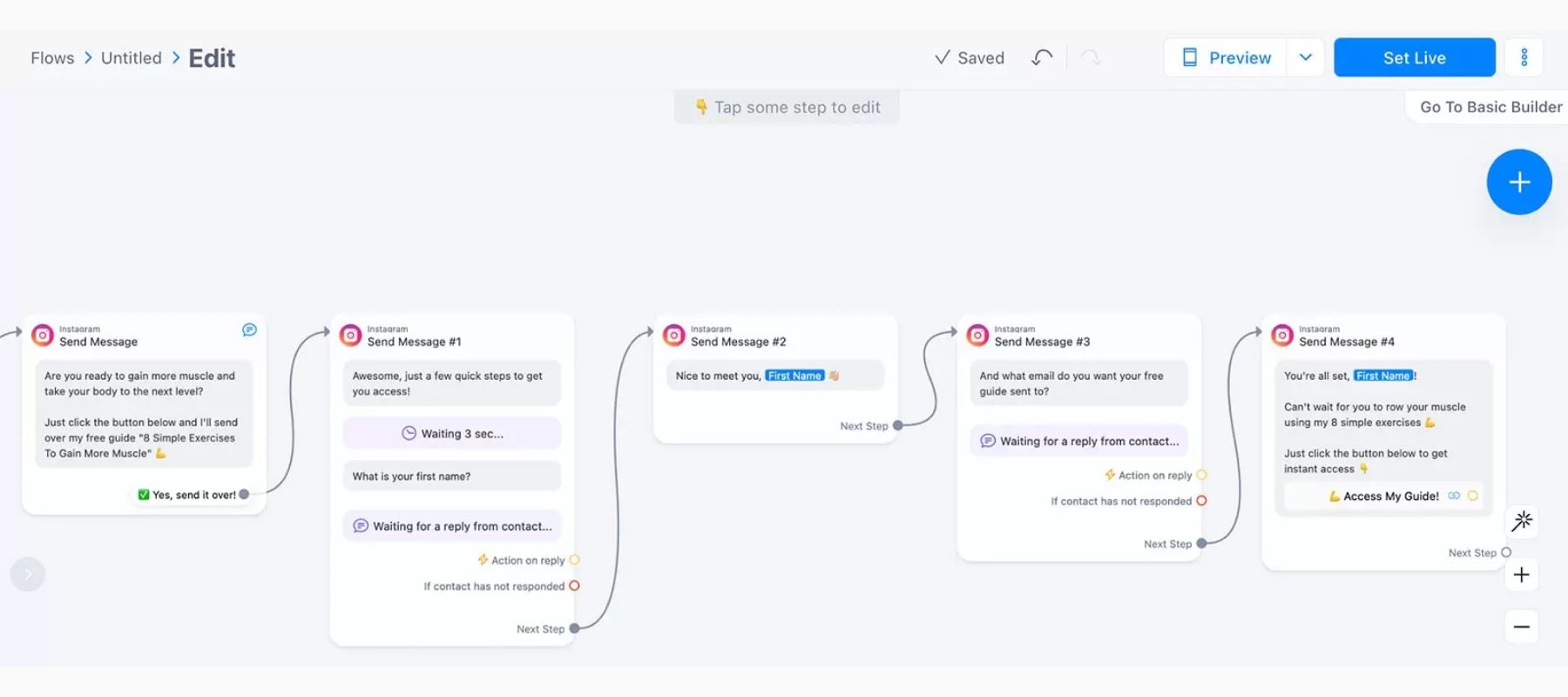
That’s it! This way, ManyChat offers a powerful interface to create a highly customized chatbot to drive your customer service and marketing campaigns.
ManyChat Pricing Review – Is It Worth the Investment?
Free Plan Features and Limitations
ManyChat offers a genuinely useful free plan that supports up to 1,000 contacts with basic automation features. This isn’t just a teaser—you can actually build functional chatbots and grow your subscriber list without spending a dime. However, the free plan does come with limitations, including ManyChat branding on your messages and restricted access to growth tools.
Pro Plan Pricing Structure
The Pro plan starts at $15 per month for up to 500 contacts and scales based on your subscriber count.
Pro subscribers unlock unlimited growth tools, advanced automation features, and the ability to remove ManyChat branding from messages. For most businesses serious about chat marketing, the Pro plan pays for itself quickly through improved engagement and conversions.
Hidden Costs to Consider
While ManyChat’s base pricing is straightforward, there are additional costs to factor in. SMS messages require credits purchased separately, typically ranging from $0.01 to $0.05 per message depending on your plan and volume. WhatsApp conversations also incur fees based on Meta’s pricing structure. If you need premium templates or specialized integrations, these may come with additional costs as well.
ManyChat Pros and Cons – Honest Assessment
What We Love About ManyChat (Pros)
User-friendly interface: Even complete beginners can build effective chatbots within their first session. The visual flow builder makes complex automations feel approachable.
Powerful Instagram automation: ManyChat’s Instagram features are industry-leading. The comment-to-DM automation alone has transformed how businesses engage on the platform.
Excellent template library: With hundreds of pre-built templates for various industries and use cases, you don’t have to start from scratch.
Strong community: The ManyChat community on Facebook includes over 100,000 members sharing strategies, templates, and support.
Reliable customer support: Pro users receive priority support, and the help documentation is comprehensive and regularly updated.
ManyChat Drawbacks to Consider (Cons)
Learning curve for advanced features: While basics are easy, mastering conditional logic and complex integrations takes time and practice.
Pricing scales quickly: If your subscriber list grows rapidly, costs can escalate faster than expected.
Platform dependency: Your automations are subject to Facebook and Instagram’s changing policies, which can occasionally disrupt workflows.
SMS costs add up: High-volume SMS campaigns can become expensive quickly.
ManyChat Use Cases – Real-World Applications
E-commerce Sales and Support
Online stores have found tremendous success with ManyChat’s abandoned cart recovery. One case study highlighted a fashion retailer that recovered 25% of abandoned carts within the first month of implementation, generating an additional $15,000 in revenue. Beyond recovery, chatbots handle product questions, process returns, and provide personalized shopping assistance around the clock.
Lead Generation and Qualification
Marketers use ManyChat to create interactive quiz funnels that qualify leads while providing entertainment value. For example, a fitness coach might create a “What’s Your Ideal Workout Style?” quiz that segments subscribers based on their answers, then delivers targeted content and offers to each segment.
Content Creator Strategies
Instagram influencers and content creators have embraced ManyChat wholeheartedly. The comment automation feature allows creators to deliver lead magnets, exclusive content, or discount codes instantly when followers comment specific keywords. This strategy turns engagement into measurable business results while maintaining the personal touch audiences crave.
ManyChat vs. Competitors – How Does It Stack Up?
ManyChat vs. Chatfuel
Both platforms offer robust chatbot building, but ManyChat wins on Instagram automation and overall ease of use. Chatfuel tends to be more focused on Facebook Messenger and offers some AI features that appeal to enterprise users. For small to medium businesses, ManyChat typically provides better value.
ManyChat vs. Customers.ai
Customers.ai offers similar multi-channel capabilities but lacks ManyChat’s polished Instagram features. ManyChat’s community resources and template library also give it an edge for users who want to learn and grow their skills.
| Feature | ManyChat | Chatfuel | Customers.ai |
|---|---|---|---|
| Instagram DM Automation | ✅ Excellent | ⚠️ Limited | ⚠️ Basic |
| Free Plan | ✅ Generous | ✅ Available | ✅ Available |
| Ease of Use | ✅ Beginner-friendly | ⚠️ Moderate | ⚠️ Moderate |
| E-commerce Integration | ✅ Strong | ✅ Good | ⚠️ Basic |
| Community Support | ✅ Excellent | ⚠️ Moderate | ⚠️ Limited |
ManyChat Tips and Best Practices for Success
Crafting Engaging Chat Sequences
The key to successful chatbot conversations is making them feel human. Use contractions, emojis, and casual language appropriate for your brand. Keep messages short—ideally under 90 characters per message bubble—and break longer content into multiple messages to mimic natural conversation flow.
Avoiding Common ManyChat Mistakes
Don’t over-automate. While it’s tempting to automate everything, some conversations require human touch. Always provide an easy way for users to reach a real person when needed.
Test before launching. Always run through your entire flow as a user would before going live. Small errors in logic can create frustrating experiences.
Stay compliant. Both Facebook and Instagram have strict policies about automated messaging. Violating these can result in your automation privileges being revoked. Review Meta’s Platform Policy regularly.
FAQs
Is ManyChat Free to Use?
Yes, ManyChat offers a free plan that includes up to 1,000 contacts with basic features. While limited compared to Pro, it’s sufficient for testing the platform and running simple automations.
Is ManyChat Legit and Safe?
Absolutely. ManyChat is a legitimate company used by over 1 million businesses worldwide. The platform complies with data protection regulations and maintains strong security standards.
Can ManyChat Work Without Facebook?
While ManyChat originated as a Facebook Messenger tool, it now supports SMS and email independently. However, Instagram features do require a connected Facebook Business Page.
Does ManyChat Work with Shopify?
Yes, ManyChat integrates directly with Shopify, allowing for abandoned cart recovery, order notifications, and product-based conversations.
Final Verdict
After this comprehensive ManyChat review, the verdict is clear: ManyChat delivers exceptional value for businesses serious about chat marketing. Its combination of powerful features, user-friendly interface, and affordable pricing makes it the top choice for Instagram automation and multi-channel messaging.
The platform isn’t perfect—pricing can scale quickly, and there’s definitely a learning curve for advanced features. However, the benefits far outweigh these limitations for most users. Whether you’re an e-commerce store owner, content creator, or service provider, ManyChat provides the tools to engage customers more effectively while freeing up your time for higher-value tasks.
Ready to see what ManyChat can do for your business? Start with the free plan to explore the platform, and upgrade when you’re ready to unlock its full potential. The future of customer conversation is automated, personalized, and waiting for you to get started.
Have you tried ManyChat? Share your experience in the comments below—we’d love to hear how it’s working for your business!
